Dinner for the week, planned in a minute.
Misa suggests dinners for your household, adds the ingredients up into one shopping list sorted by aisle, and lets you shop from the same list together.
No sign-up. Runs in your phone’s browser; add it to your home screen.
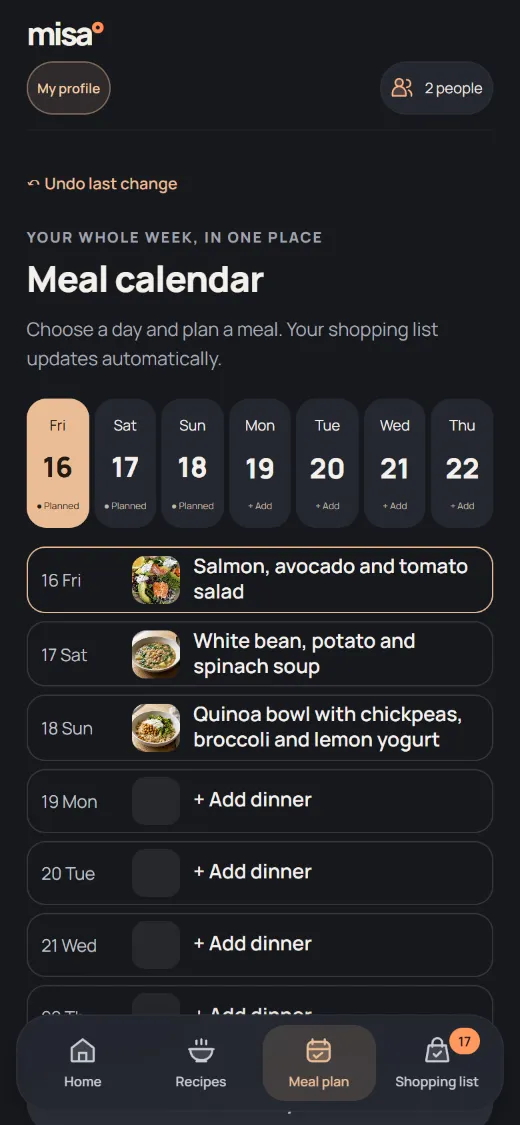
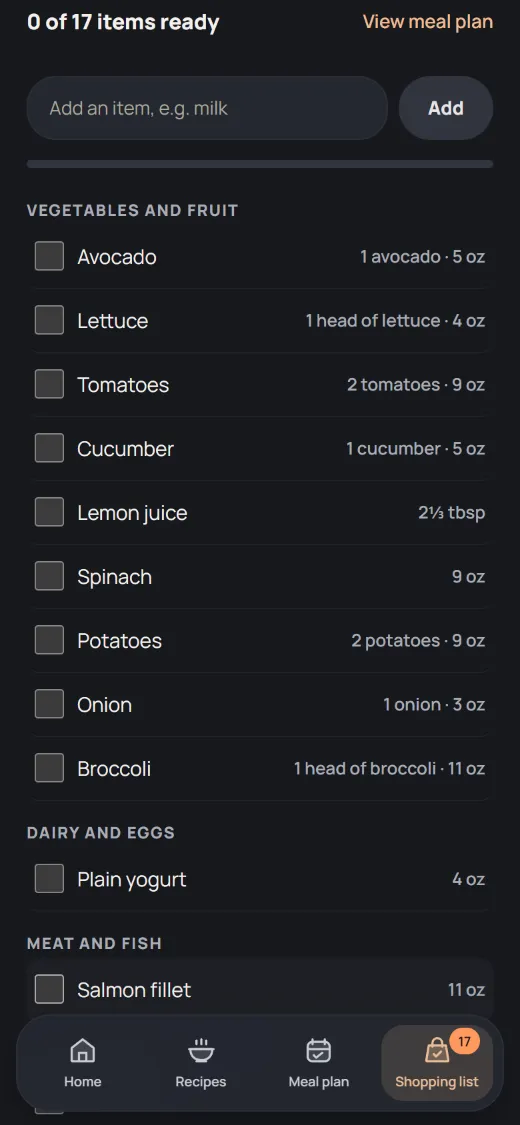
Plan the week in a minute
Pick 3, 5 or 7 dinners, or let Misa suggest them for your household size and time. Swap or skip a day any time.
One list, sorted by aisle
Ingredients from your plan add up into one list. Things you always have at home stay off it. Shared ingredients become one row: 2 and 3 cloves of garlic are 5.
Shop together, no account
Send your household a link. You both see the same list and tick items off in the store; changes show on the other phone within about 15 seconds.
Your Mealime recipes, by name
Search 2,601 Mealime recipes saved by the Internet Archive, tick your favorites and import them together, even after Mealime closes.
Cook step by step
Clear steps, ingredient checklists and safe temperatures in °C and °F. Calories and protein for Misa’s own recipes, without a paywall.
Private by default
Your plan, recipes and diary stay on your device and work offline. Sharing a list sends only that list.
Leaving Mealime?
Mealime shuts down on October 21, 2026. Find your recipes by name in Misa and import them together; when a Mealime page is gone, Misa reads the copy saved by the Internet Archive.
Questions
Is Misa free? Yes. Recipes, planning, the shopping list, sharing it, importing recipes from links, nutrition and the diary are free, with no account and no ads.
Can my partner use the same shopping list? Yes. On the shopping list, tap “Share the list with your household” and send the link. Anyone with the link sees the list, ticks items off and adds items; no account is needed.
Can I keep recipes from other sites? Yes. Paste one link or several from a cooking site and Misa saves the ingredients, steps and photo in My recipes, always with a link to the source.
Which languages? English, Spanish, French, German, Portuguese, Chinese, Arabic, Hindi and Polish. Misa follows your device language, and you can switch any time.
Where is my data? In your browser on your device. Misa offers a backup file you can save to Google Drive, OneDrive or iCloud Drive and restore on another phone.
More on moving from Mealime: how to bring your recipes, and Mealime alternatives compared.
Made by one person, and listening
Misa is new. Everything on this page is free and payments are off. If a recipe link doesn’t import or something feels wrong, write to the maker: you get an answer from the person who builds Misa.
Talk to the maker